How AI Helps Turn a Software Ticket into a Ready-to-Work Plan

Anyone who has worked in software knows the feeling. A new ticket lands in your queue with a title, two lines of description, and maybe a screenshot. Before you write any code, you need to understand what is really being asked, check if someone already worked on it, find the part of the code involved, and figure out how to test it.
In our experience, this first stage can take a big part of the day, and it is mostly reading and searching, not engineering. Most of the conversation about AI in software is about generating code. Our team has been using AI for the stage before that, the research that happens between receiving a ticket and starting the work. This post shares what a "ready-to-work plan" looks like, how we build it, and what we learned along the way.
What Is a Ready-to-Work Plan?
For us, a ready-to-work plan is a short document attached to the ticket that answers the questions a developer or tester would ask on day one:
What is the problem, in plain words?
What should happen, and what happens today?
Has this been fixed, or partly fixed?
Which areas of the code are likely involved?
Which existing tests already cover this behavior, and where are the gaps?
How big is the work, and how confident are we in that estimate?
What questions still need a human answer?
How can QA reproduce the problem and verify the fix?
The result is more than a detailed ticket. It is a research report that gives the whole team a common starting point. The goal is not to replace the developer. The goal is that the developer opens the ticket and starts with an understanding, not starting from zero.
How We Build It, Step by Step
We determined that this initial research has a consistent step by step process to it so that's how we saw AI as helping us. We packaged each step as an AI Agent Skill, a set of written instructions the AI follows the same way every time.
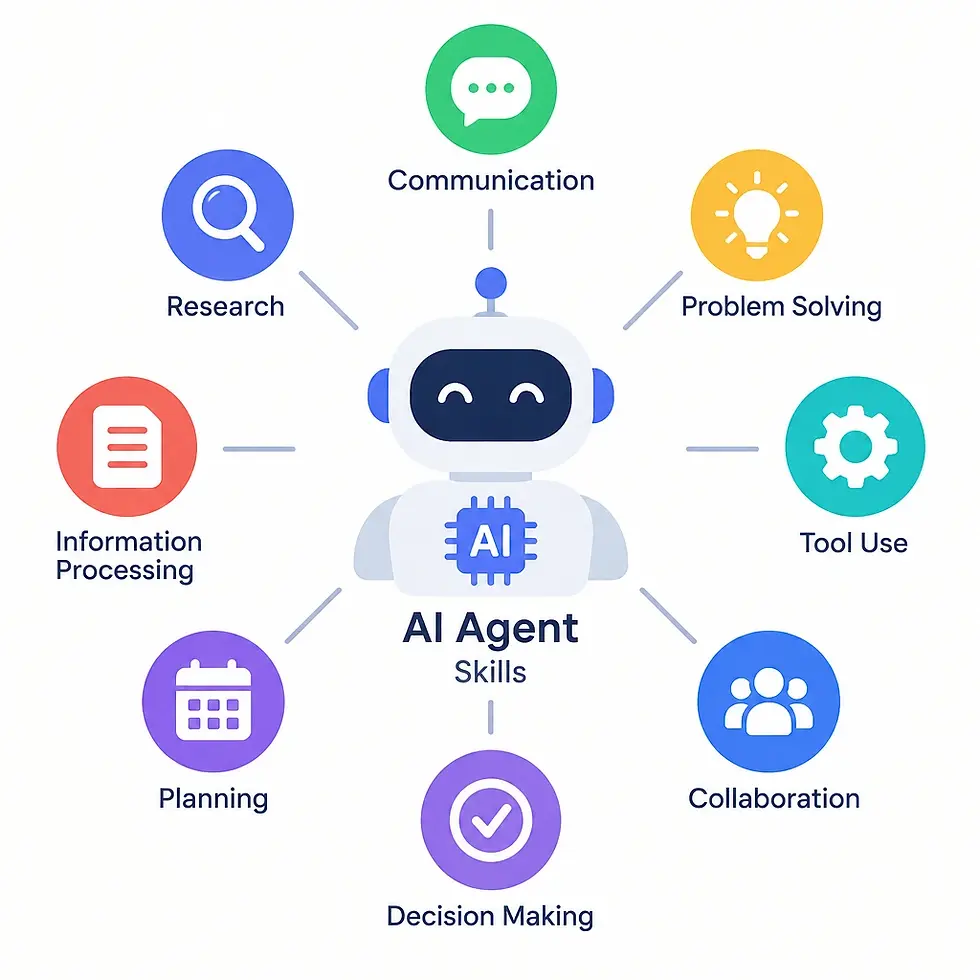
The skills we created were:
1. Read everything on the ticket. The AI pulls the description, acceptance criteria, all comments, and the attachments. Comments are often where the real information is, like steps to reproduce, a failed first attempt, or a temporary workaround.
2. Look for existing work. The AI searches git history across all branches, not only the main one, for commits that mention the ticket or touch the same behavior. Many times, part of the work already exists on a branch that never got merged. This also helps us find related and duplicate tickets.
A plain keyword search is not enough here. If a ticket says a setting is not being saved, searching for "settings" returns far too many commits. The AI uses the ticket description, the affected component, and the surrounding code to narrow the search to the commits that changed that same save path. History also explains why the code looks the way it does, like a workaround added by an earlier change or a limitation someone documented in a commit message.
3. Judge whether that work really solves the problem. Finding a commit is not the same as finding a fix. The AI compares the code with each requirement in the ticket, one by one, and gives a verdict: fully satisfies, partly satisfies, or does not satisfy, with evidence for each point.
4. Map the code. Tickets rarely use the same words as the code. The AI builds a graph of the codebase so it can connect what the customer described to the code classes, services, and database objects that actually handle it. This helps a lot when the reader is new to that part of the system.
5. Check test coverage. The AI searches the indexed test cases, manual and automated, and lists what already covers the behavior. Existing test cases often describe the expected behavior in more detail than the ticket does, so they are useful for understanding the requirement. Then the plan can say "these three cases cover it, and this failure scenario is missing."
6. Estimate the effort. Tickets often arrive without an estimate, so we ask the AI to size the work in agile T-shirt sizing (small, medium, large, etc.) with a confidence level. We treat this as a conversation starter, not a commitment.
7. Write a repro guide and post a summary. The last step is a click-by-click guide that a tester can follow without reading code to reproduce the issue, plus a short summary on the ticket linking to the full report.
What Worked With This Approach
Searching all branches. It sounds small, but it changed how we do bug research. We now know much faster whether we are starting fresh or have some context and continuing past work on the issue.
Making the AI show its work. Early on, the AI would say "no tests cover this" without saying where it looked. We added a rule that any claim of absence must state the scope that was searched: which suites, branches, or files. "Not found" only means something when we know where it was not found. The same applies to coverage: a test with a similar name is not proof that a scenario is covered. For possible duplicates, the AI must explain why two tickets look related, because similarity alone is not proof. Every important conclusion points to the comment, commit, file, or test case behind it, so a confident guess does not become a team decision.
Separating facts from assumptions. A UI screen loading slowly could be caused by a database query, a network request, a retry loop, or a configuration problem. For root causes, we ask for more than one hypothesis, with the evidence for and against each one, and the AI Skill would then confirm or eliminate it. This avoids jumping to the first explanation that sounds right, and it tells the developer which check to run first.
Recording decisions. We make the AI write down each decision, like whether the ticket is ready to start, as a visible fact in the report. You can then see why a ticket was marked ready for you to start working on it or if it requires additional research.
Running it unattended. Because what the AI Agent Skills are doing are fixed consistent steps, they can run overnight, so the plans are ready in the morning for you to review.
What Did Not Work (At First)
Success that was not really success. One run produced its report and then crashed. Our first check only looked for the report, so the ticket was counted as done. We changed it to also require a clean finish.
Carry-over tickets looked untouched. Tickets that moved to the next sprint had their reports saved in the old sprint's folder, so the system tried to redo the work. A simple lookup fix solved it, but small details break automation.
Cost and limits. Running AI on many tickets uses real usage quotas. We added retries and fallback models for when the limit is reached, and we track usage per ticket, so we know the cost of the preparation and not only its quality.
Where Humans Stay in the Loop
The AI prepares the plan and then stops. A developer or tester reviews it and corrects what is wrong, like a misunderstood requirement, a wrong root cause, a missing dependency, or a change that is bigger than necessary. The root cause in particular still needs to be confirmed by someone who knows the system and can reach the right environment.
The AI can be confidently wrong, especially about effort and runtime behavior, so in our experience, we set clear limits. We ensure the AI doesn't invent requirements, merge code, submit a pull request, change ticket fields, or close tickets on its own, and it must say clearly when information is missing.
For us, the right mental model is a fast, tireless junior colleague who does the research and reports back, and a senior person who reviews it, like how any senior person does a code review. We'll continue to refine it and it may get to the point where we feel comfortable with the AI doing certain changes autonomously without review.

Takeaways
If you want to try something similar, you do not need a complicated autonomous system on day one. Here is where we would start:
Pick one repeatable task, like "research a ticket," and write down the steps you follow manually.
Turn those steps into instructions for the AI, and ask it to cite evidence for every claim.
Start with read-only work, on a small group of tickets.
Define a metric and track it to see if AI is providing the intended value, like the time saved or things it was able to do that an engineer might have missed. For example, the time to do the research and gather background information, duplicate issues or fixes found, missing tests discovered, how many times a developer accepted the AI-suggested code changes without making major changes, and the AI costs (such as credits) to produce results.
Keep a human reviewing the output.
The biggest value for us was not speed alone. It was that every ticket now starts with the same level of preparation, no matter who picks it up.
Wrap Up
We did not end up with a system that makes decisions for us, and that was never the goal. What we have is a workflow that takes an unclear ticket and hands a developer a researched plan to review and saves them the time of doing the repetitive and monotonous tasks. These are things that AI can do easily in a repeatable way.
Thanks for reading. If your team is exploring ways to bring AI into your development and QA process, we would be glad to share more of what we learned. Reach out to us and let's talk.
Saiborne offers software consulting services to help companies meet their business objectives and get the most value out of their software products. We specialize in ServiceNow solutions with our certified experience including development of apps released to the ServiceNow Store with our previous companies. Contact us to find out how we can help you with any ServiceNow needs.